Audio Talk AI is a desktop voice input tool. Hold a global hotkey, speak, and the recognized text is copied to the clipboard or typed directly into the focused field. Coding, chatting, note-taking, long-form writing — just say it.
From hotkey trigger to auto-submit, the whole pipeline is tuned for "less typing, more talking".
toggle (press to start, press again to stop) and hold (press and speak) modes. Default F9; modifier combos like Alt+Super also work.
Doubao, OpenAI Realtime/Whisper, the full iFlytek lineup, and Xiaomi MiMo. Switch on the fly in the TUI — streaming or batch, your call.
Recognized text goes to the clipboard or straight into the focused field — and your prior clipboard is restored after pasting.
Always-on-top recording capsule for Wayland, X11, macOS, and Windows — live status and waveform, no workflow interruption.
A Bubble Tea config UI in the terminal, plus a browser console at http://localhost:8391 — config stays in sync in real time.
Configure hotwords for project names, people, English terms, and domain jargon to measurably lift recognition accuracy.
Tracks total sessions, total characters, average speed, and recent speed — quantify how fast you really talk.
On Linux / macOS, start a TUI session with --d, detach, and hotkeys keep working. Reattach anytime with --di.
API keys are stored encrypted with AES-256-GCM; plaintext lives only in memory. Migration auto-encrypts; downgrades are blocked.
Streaming for real-time text, batch for record-then-transcribe. Major providers at home and abroad — dialects, long audio, speaker diarization all covered.
ByteDance Volcengine, binary WebSocket
gpt-4o-transcribe family, WebSocket
Dynamic correction, 202 dialects
Medical / gov / finance domains
Large model, up to 8h, diarization
apiKey auth, up to 5 hours
Compatible with Ollama / vLLM etc.
Standard edition, up to 5 hours
202 dialects / 37 languages
~20s for a 1-hour recording
Chinese/English + dialects
Domestic (China) endpoint
Each platform calls native APIs directly — no Electron shell. Fast, light on resources.
Hotkeys via evdev (needs input group); clipboard via wl-clipboard, auto-submit via wtype or uinput.
Native X11 global hotkeys, XTest-based auto-submit, native X11 overlay capsule.
CGEventTap hotkeys, CoreAudio recording, NSPasteboard clipboard, AppKit overlay.
WH_KEYBOARD_LL low-level hook, ffmpeg/sox recording, SendInput Ctrl+V, pure Go — no CGO.
A TUI in the terminal and a WebUI in the browser — two faces, one config.
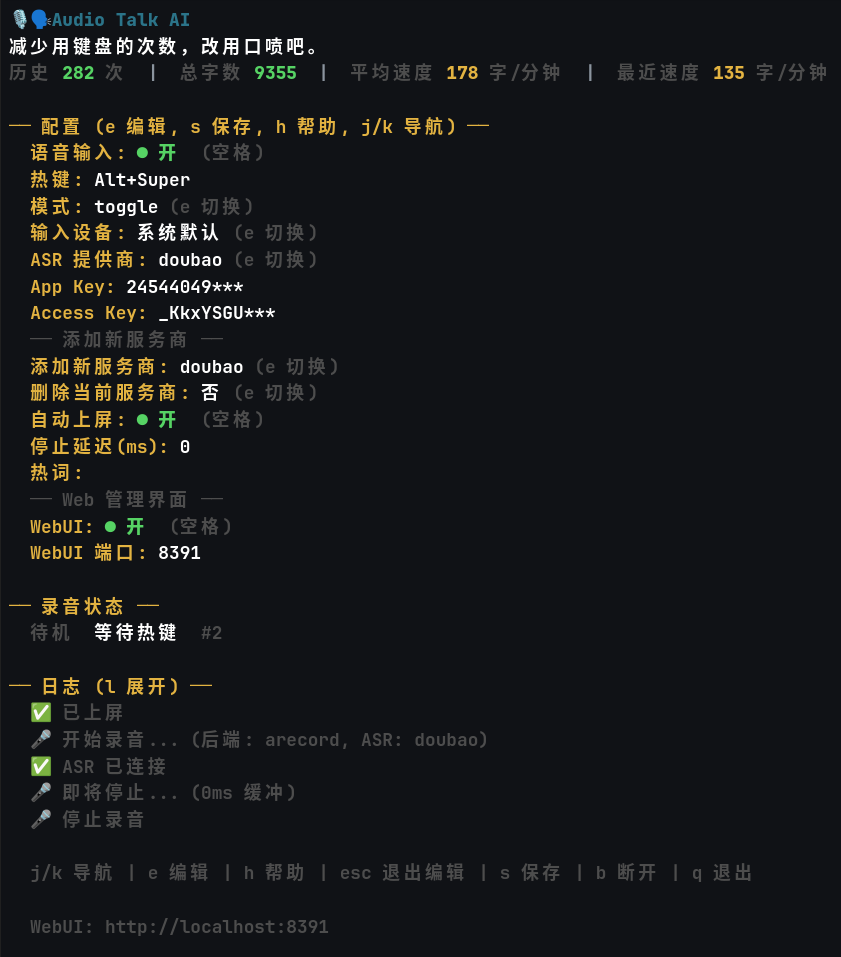
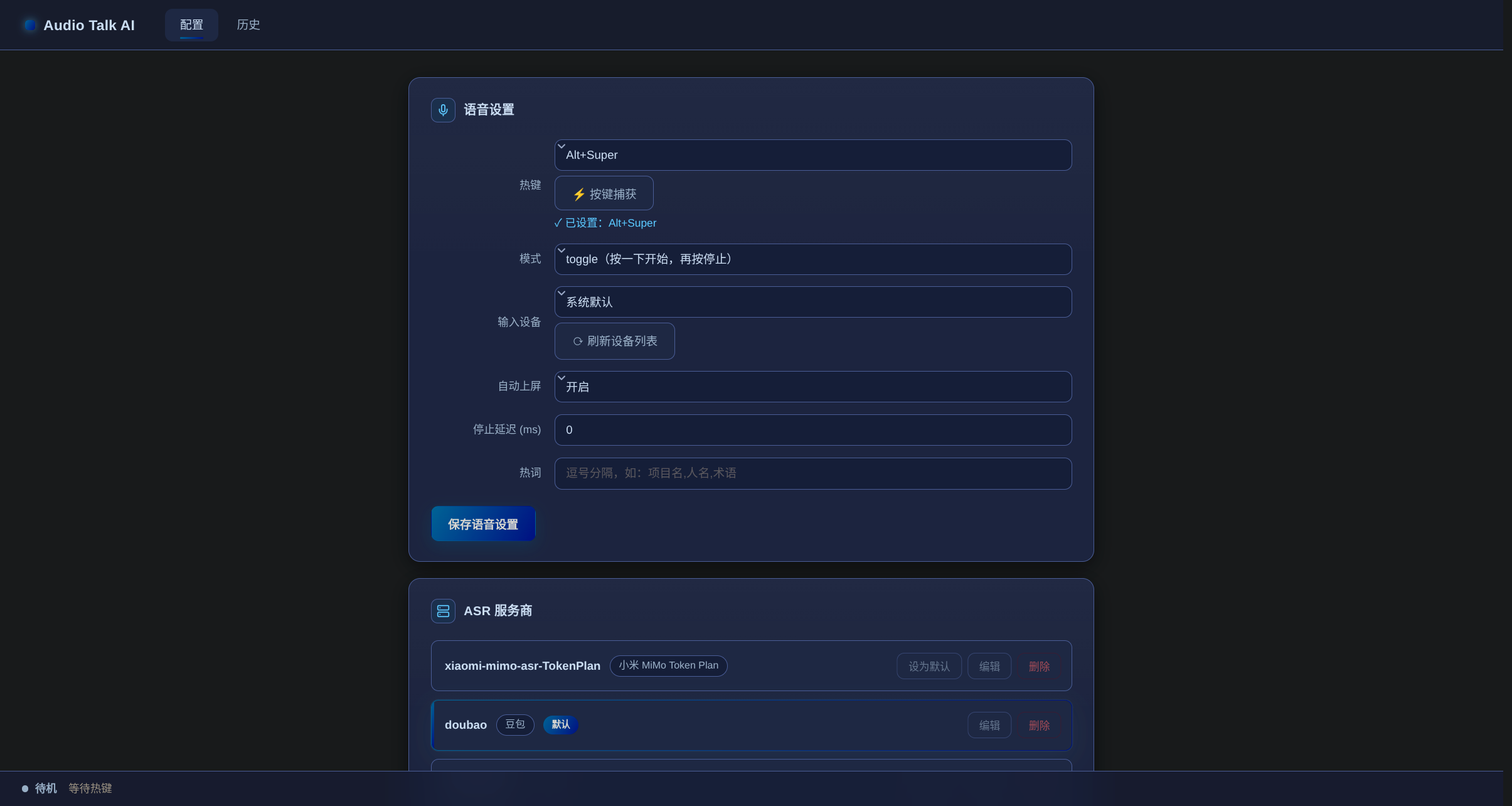
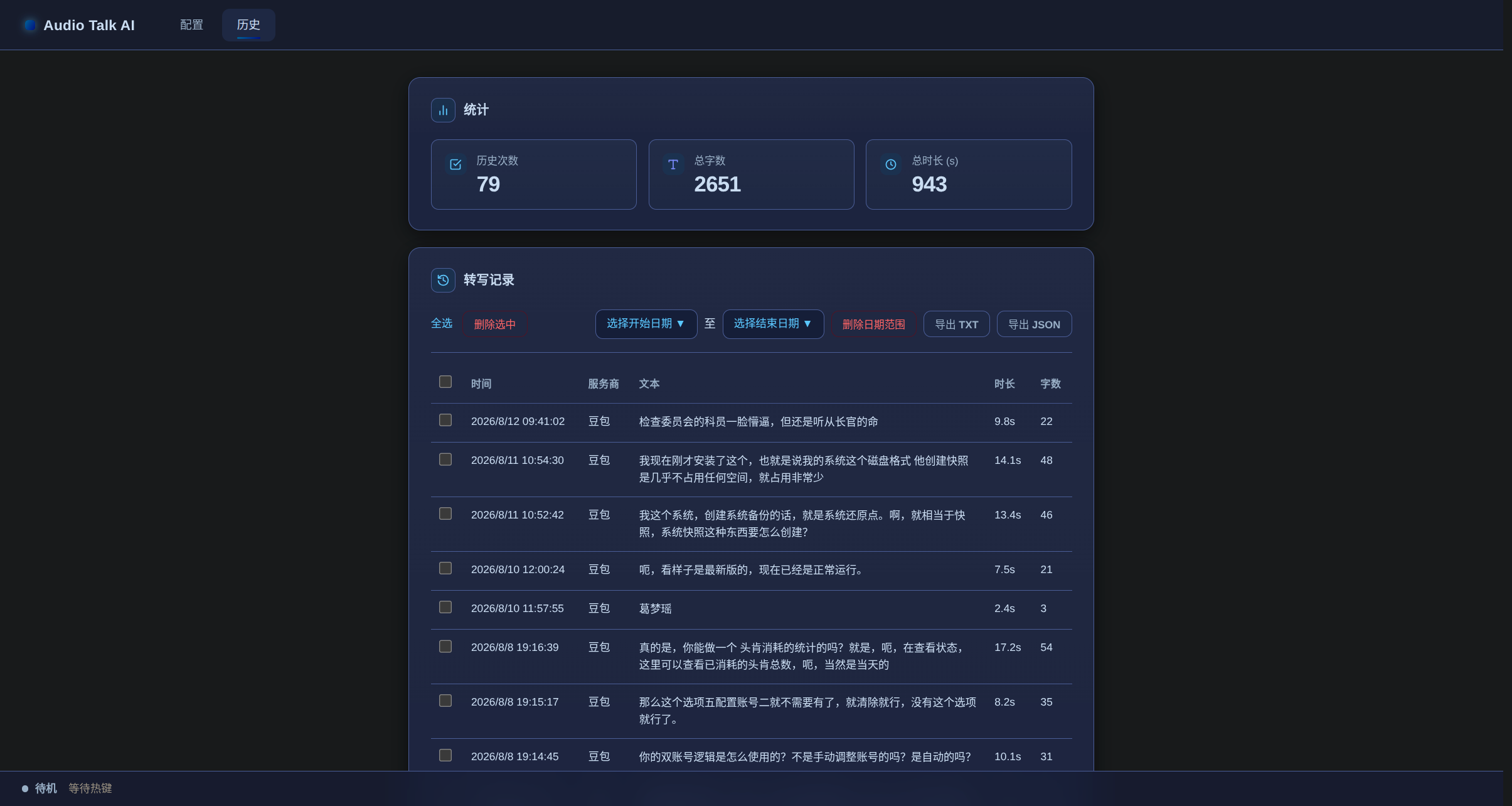
Pick your platform, copy the commands. Run --doctor after install to verify the environment.
# download the latest pre-built release (Linux x86_64, ~4MB, no compiler)
curl -fsSL -o audio-talk-ai.tar.gz \
  https://github.com/SilverKurali/audio-talk-Ai/releases/download/v0.2.8/audio-talk-ai-0.2.8-linux-amd64.tar.gz
tar xzf audio-talk-ai.tar.gz
chmod +x audio-talk-ai
sudo mv audio-talk-ai /usr/local/bin/   # or ~/.local/bin/
audio-talk-ai --doctor # environment check# Debian / Ubuntu build deps
sudo apt install golang-go build-essential \
libx11-dev libxtst-dev libxext-dev libxinerama-dev libwayland-dev
git clone https://github.com/SilverKurali/audio-talk-Ai.git
cd audio-talk-Ai
make build # or go build -o build/audio-talk-ai ./cmd/audio-talk-ai
make install # installs to ~/.local/bin/# download the latest pre-built release (arm64 for Apple Silicon, amd64 for Intel)
curl -fsSL -o audio-talk-ai.tar.gz \
https://github.com/SilverKurali/audio-talk-Ai/releases/download/v0.2.8/audio-talk-ai-0.2.8-darwin-arm64.tar.gz
tar xzf audio-talk-ai.tar.gz
chmod +x audio-talk-ai
sudo mv audio-talk-ai /usr/local/bin/
audio-talk-ai --doctor
# grant Accessibility & Microphone to your terminal app on first launch# needs clang and the macOS SDK (full Xcode not required)
xcode-select --install
git clone https://github.com/SilverKurali/audio-talk-Ai.git
cd audio-talk-Ai
make build && make install # installs to ~/.local/bin/# Option = Alt, Command/Cmd = Super
[voice]
push_to_talk = "Option+Command":: download the latest pre-built release (Windows x86_64, ~4MB)
curl -fsSL -o audio-talk-ai.zip https://github.com/SilverKurali/audio-talk-Ai/releases/download/v0.2.8/audio-talk-ai-0.2.8-windows-amd64.zip
tar -xf audio-talk-ai.zip
audio-talk-ai.exe --install :: install to %LOCALAPPDATA%\Programs\audio-talk-ai\
audio-talk-ai.exe --doctor :: needs ffmpeg/sox on PATH:: recording needs ffmpeg (recommended) or sox on PATH
git clone https://github.com/SilverKurali/audio-talk-Ai.git
cd audio-talk-Ai
go build -o audio-talk-ai.exe ./cmd/audio-talk-ai
audio-talk-ai.exe --install
audio-talk-ai.exe --doctor:: Win key = Super, Ctrl = Control
[voice]
push_to_talk = "Win+Alt"